Pendahuluan
Kita berpikir bahwa kita membuat sistem tersebut untuk tujuan kita sendiri. Kita berpikir kita sedang membuatnya dari cerminan diri kita sendiri... Tetapi komputer sebenarnya tidak seperti kita sama sekali. Komputer adalah proyeksi dari bagian kecil saja dari diri kita: yaitu bagian yang berdedikasi terhadap logika, urutan, aturan, dan kejelasan.
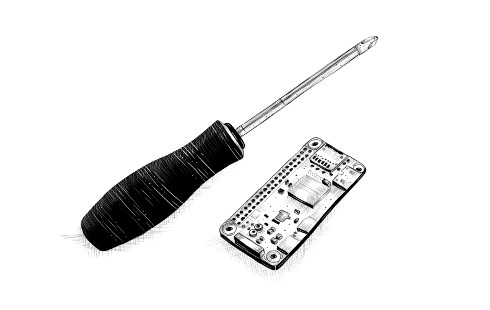
Buku ini adalah mengenai cara memerintah komputer. Saat ini, komputer ada dimana-mana seperti halnya sebuah obeng, tapi mereka memang lebih rumit, dan untuk membuatnya melakukan sesuatu seperti yang kita mau tidaklah selalu mudah.
Jika pekerjaan yang anda berikan kepada komputer adalah pekerjaan yang umum, sangat dipahami orang, seperti halnya menunjukkan surel anda atau beraksi layaknya sebuah kalkulator, anda bisa saja membuka aplikasi yang cocok untuk pekerjaan itu dan anda bisa langsung bekerja. Tetapi untuk pekerjaan-pekerjaan yang unik atau terbuka akhirnya, seringkali tidak ada aplikasi yang cocok.
Di sini lah pemrograman mungkin bisa hadir. Pemrograman adalah sebuah pekerjaan untuk membangun sebuah program)—sebuah kumpulan instruksi-instruksi presisi yang memberitahu komputer apa yang harus ia lakukan. Karena komputer itu monster yang bodoh dan pedantik, pemrograman pada dasarnya sebuah aktivitas yang melelahkan dan membuat frustasi.
Untungnya, jika anda bisa mengabaikan fakta tersebut dan bahkan anda bisa menikmati berpikir keras seperti halnya sebuah mesin yang bodoh, maka pemrograman bisa menjadi menyenangkan. Ia memungkinkan anda melakukan sesuatu yang biasanya mengabiskan waktu berjam-jam menjadi selesai hanya dalam hitungan detik. Ia juga cara untuk membuat komputer bisa melakukan hal-hal yang sebelumnya tak bisa mereka lakukan. Selain itu, ia juga bisa menjadi sebuah permainan yang penuh dengan teka-teki dan abstraksi.****
Kebanyakan pemrograman dilakukan dengan bahasa pemrograman. Sebuah bahasa pemrograman adalah sebuah bahasa yang sengaja dibuat untuk memerintahkan komputer melakukan sesuatu. Hal paling menarik dari hal ini adalah kita menemukan bahwa cara untuk berkomunikasi dengan komputer adalah terinspirasi dari cara kita berkomunikasi dengan sesama manusia. Seperti halnya bahasa untuk manusia, bahasa pemrograman memiliki kata-kata dan frasa-frasa yang digabungkan dalam kesatuan yang baru, sehingga membuatnya bisa menjelaskan konsep-konsep yang baru.
Di masa lalu, antar-muka berbasis bahasa seperti BASIC dan DOS di tahun 1980-an dan 1990-an, adalah metode utama untuk berinteraksi dengan komputer. Untuk penggunaan rutin, antar-muka ini telah digantikan oleh antar-muka visual yang lebih mudah dipelajari tapi kurang memberikan kebebasan. Jika anda tahu caranya, bahasa-bahasa tersebut masih tersedia. Salah satu diantaranya, JavaScript, disertakan bersama setiap peramban mutakhir dan tersedia di hampir semua perangkat.
Buku ini akan mencoba untuk mengakrabkan anda dengan bahasa ini sehingga anda bisa melakukan hal-hal yang berguna dan menyenangkan dengannya.
Mengenai Pemrograman
Selain menjelaskan JavaScript, Saya akan memperkenalkan prinsip-prinsip dasar pemrograman. Pemrograman itu ternyata sulit. Aturan-aturan dasarnya sebenarnya sederhana dan jelas, tetapi program-program yang dibuat di atas aturan-aturan tersebut cenderung menjadi cukup kompleks sehingga memunculkan aturan-aturan dan kompleksitasnya tersendiri. Anda sebenarnya sedang membangun labirin anda sendiri dan anda bisa dengan mudah tersesat di dalamnya.
Akan ada saatnya ketika anda membaca buku ini dan merasa frustasi. Jika ada masih pemula dalam pemrograman, anda akan menemui banyak sekali materi baru untuk dicerna. Banyak dari materi ini yang akan digabungkan dengan cara tertentu yang meminta anda untuk membuat hubungan-hubungan baru.
Ini sangat tergantung pada apakah anda mau melakukan usaha yang diperlukan. Ketika anda kesulitan mengikuti buku ini, jangan langsung mengambil kesimpulan mengenai kemampuan anda sendiri. Anda sudah keren - tinggal teruskan saja usahanya. Istirahatlah, baca ulang sebagian materinya, dan pastikan bahwa anda membaca dan mengerti program contoh dan latihan. Belajar butuh kerja keras, namun semua hal yang anda pelajari akan menjadi milik anda sendiri dan akan membuat proses belajar anda di kemudian hari lebih mudah.
Ketika aksi tumbuh tanpa untung, kumpulkan informasi; ketika informasi tumbuh tanpa untung, tidurlah.
Sebuah program bisa berupa banyak hal. Ia adalah sebuah tulisan karya seorang programmer, yang mengarahkan sebuah komputer agar melakukan tugasnya, sebuah data di ingatan komputer, dan pada saat yang bersamaan, mengendalikan aksi yang dilakukan pada ingatan ini. Analogi-analogi yang mencoba membandingkan program dengan barang-barang sehari-hari lain biasanya tidak cocok. Sebuah analogi yang agak cocok secara permukaan adalah yang membandingkan program dengan sebuah mesin dimana terdapat banyak bagian dan untuk membuat mesin tersebut berjalan, kita harus mempertimbangkan bagaimana bagian-bagian tersebut saling berhubungan dan bagaimana mereka bisa berkontribusi kepada seluruh operasinya.
Sebuah komputer adalah mesin fisik yang bertindak sebagai tuan rumah bagi mesin-mesin abstrak ini. Komputer itu sendiri bodoh, dia hanya bisa melakukan hal-hal yang didefinisikan dengan jelas. Komputer itu bermanfaat hanya karena mereka bisa melakukan hal-hal tersebut dengan amat sangat cepat. Sebuah program bisa dengan cerdas menggabungkan aksi-aksi sederhana tersebut untuk melakukan hal-hal yang yang rumit.
Sebuah program adalah bangunan pemikiran. Murah untuk dibangun, tak memiliki berat, dan bisa tumbuh dengan mudah dengan ketikan tangan kita. Tetapi, seiring dengan tumbuhnya program kita, begitu pula kompleksitasnya. Keahlian pemrograman adalah keahlian membuat program yang tidak membuat pemrogram lainnya kebingungan dengan program itu. Program yang terbaik adalah program yang melakukan hal yang menarik sambil tetap mudah dipahami.
Sebagian pemrogram meyakini bahwa kerumitan tersebut bisa ditangani dengan menggunakan beberapa teknik-teknik yang mereka pahami. Mereka memiliki aturan baku (“praktek terbaik”) yang menjadi resep untuk membangun program dengan benar, dan mereka setia di dalam zona aman yang kecil itu.
Ini sebenarnya bukan hanya membosankan, tapi juga tidak efektif. Masalah-masalah baru seringkali membutuhkan penyelesaian-penyelesaian baru. Disiplin ilmu pemrograman masih muda dan terus berkembang dengan cepat. Bidang ilmunya cukup bervariasi sehingga membuka ruang untuk pendekatan-pendekatan sangat berbeda satu sama lain. Ada banyak sekali kesalahan yang buruk dalam rancangan sebuah program, sehingga anda seharusnya melakukan kesalahan tersebut paling tidak sekali untuk memahaminya. Naluri untuk memahami bagaimana bentuk sebuah program yang bagus itu bisa terbentuk dengan latihan, bukan dengan belajar dari daftar aturan.
Mengapa bahasa itu penting
Pada awal kelahiran komputer, belum ada bahasa pemrograman. Program saat itu berbentuk seperti ini:
00110001 00000000 00000000
00110001 00000001 00000001
00110011 00000001 00000010
01010001 00001011 00000010
00100010 00000010 00001000
01000011 00000001 00000000
01000001 00000001 00000001
00010000 00000010 00000000
01100010 00000000 00000000
Ini adalah program untuk menambahkan bilangan dari 1 sampai 10 dan mencetak hasilnya: 1 + 2 + .. Program ini bisa berjalan pada sebuah mesin hipotetis. Untuk memprogram komputer di masa-masa awal, anda harus menyediakan sekumpulan besar saklar dengan urutan yang benar atau menyiapkan lubang pukul (punch hole) dalam selembar papan untuk dimasukkan ke dalam komputer. Anda bisa membayangkan betapa repot dan rawan kesalahan prosedur ini. Untuk menulis sebuah program sederhana saja, harus dengan kepandaian dan disiplin yang tinggi. Apatah lagi jika programnya kompleks.
Tentu saja, memasukkan pola-pola bit kuno ini secara manual membuat pemrogram merasa layaknya penyihir. Hal ini sedikit banyak berkontribusi terhadap kepuasan bekerja.
Tiap baris dari program di atas mengandung instruksi tunggal. Ia dapat ditulis dalam bahasa Indonesia seperti ini:
Although that is already more readable than the soup of bits, it is still rather obscure. Using names instead of numbers for the instructions and memory locations helps.
  Set “total” to 0.
  Set “count” to 1.
[loop]
  Set “compare” to “count”.
  Subtract 11 from “compare”.
  If “compare” is 0, continue at [end].
  Add “count” to “total”.
  Add 1 to “count”.
  Continue at [loop].
[end]
  Output “total”.
Can you see how the program works at this point? The first two lines give two memory locations their starting values: total will be used to build up the result of the computation, and count will keep track of the number that we are currently looking at. The lines using compare are probably the most confusing ones. The program wants to see whether count is equal to 11 to decide whether it can stop running. Because our hypothetical machine is rather primitive, it can test only whether a number is zero and make a decision based on that. It therefore uses the memory location labeled compare to compute the value of count - 11 and makes a decision based on that value. The next two lines add the value of count to the result and increment count by 1 every time the program decides that count is not 11 yet.
Here is the same program in JavaScript:
let total = 0, count = 1;
while (count <= 10) {
  total += count;
  count += 1;
}
console.log(total);
// → 55
This version gives us a few more improvements. Most importantly, there is no need to specify the way we want the program to jump back and forth anymore—the while construct takes care of that. It continues executing the block (wrapped in braces) below it as long as the condition it was given holds. That condition is count <= 10, which means “the count is less than or equal to 10”. We no longer have to create a temporary value and compare that to zero, which was just an uninteresting detail. Part of the power of programming languages is that they can take care of uninteresting details for us.
At the end of the program, after the while construct has finished, the console.log operation is used to write out the result.
Finally, here is what the program could look like if we happened to have the convenient operations range and sum available, which respectively create a collection of numbers within a range and compute the sum of a collection of numbers:
console.log(sum(range(1, 10)));
// → 55
The moral of this story is that the same program can be expressed in both long and short, unreadable and readable ways. The first version of the program was extremely obscure, whereas this last one is almost English: log the sum of the range of numbers from 1 to 10. (We will see in later chapters how to define operations like sum and range.)
A good programming language helps the programmer by allowing them to talk about the actions that the computer has to perform on a higher level. It helps omit details, provides convenient building blocks (such as while and console.log), allows you to define your own building blocks (such as sum and range), and makes those blocks easy to compose.
What is JavaScript?
JavaScript was introduced in 1995 as a way to add programs to web pages in the Netscape Navigator browser. The language has since been adopted by all other major graphical web browsers. It has made modern web applications possible—that is, applications with which you can interact directly without doing a page reload for every action. JavaScript is also used in more traditional websites to provide various forms of interactivity and cleverness.
It is important to note that JavaScript has almost nothing to do with the programming language named Java. The similar name was inspired by marketing considerations rather than good judgment. When JavaScript was being introduced, the Java language was being heavily marketed and was gaining popularity. Someone thought it was a good idea to try to ride along on this success. Now we are stuck with the name.
After its adoption outside of Netscape, a standard document was written to describe the way the JavaScript language should work so that the various pieces of software that claimed to support JavaScript could make sure they actually provided the same language. This is called the ECMAScript standard, after the Ecma International organization that conducted the standardization. In practice, the terms ECMAScript and JavaScript can be used interchangeably—they are two names for the same language.
There are those who will say terrible things about JavaScript. Many of these things are true. When I was required to write something in JavaScript for the first time, I quickly came to despise it. It would accept almost anything I typed but interpret it in a way that was completely different from what I meant. This had a lot to do with the fact that I did not have a clue what I was doing, of course, but there is a real issue here: JavaScript is ridiculously liberal in what it allows. The idea behind this design was that it would make programming in JavaScript easier for beginners. In actuality, it mostly makes finding problems in your programs harder because the system will not point them out to you.
This flexibility also has its advantages, though. It leaves room for techniques that are impossible in more rigid languages and makes for a pleasant, informal style of programming. After learning the language properly and working with it for a while, I have come to actually like JavaScript.
There have been several versions of JavaScript. ECMAScript version 3 was the widely supported version during JavaScript’s ascent to dominance, roughly between 2000 and 2010. During this time, work was underway on an ambitious version 4, which planned a number of radical improvements and extensions to the language. Changing a living, widely used language in such a radical way turned out to be politically difficult, and work on version 4 was abandoned in 2008. A much less ambitious version 5, which made only some uncontroversial improvements, came out in 2009. In 2015, version 6 came out, a major update that included some of the ideas planned for version 4. Since then we’ve had new, small updates every year.
The fact that JavaScript is evolving means that browsers have to constantly keep up. If you’re using an older browser, it may not support every feature. The language designers are careful to not make any changes that could break existing programs, so new browsers can still run old programs. In this book, I’m using the 2024 version of JavaScript.
Web browsers are not the only platforms on which JavaScript is used. Some databases, such as MongoDB and CouchDB, use JavaScript as their scripting and query language. Several platforms for desktop and server programming, most notably the Node.js project (the subject of Chapter 20), provide an environment for programming JavaScript outside of the browser.
Code, and what to do with it
Code is the text that makes up programs. Most chapters in this book contain quite a lot of code. I believe reading code and writing code are indispensable parts of learning to program. Try to not just glance over the examples—read them attentively and understand them. This may be slow and confusing at first, but I promise that you’ll quickly get the hang of it. The same goes for the exercises. Don’t assume you understand them until you’ve actually written a working solution.
I recommend you try your solutions to exercises in an actual JavaScript interpreter. That way, you’ll get immediate feedback on whether what you are doing is working, and, I hope, you’ll be tempted to experiment and go beyond the exercises.
When reading this book in your browser, you can edit (and run) all example programs by clicking them.
Running the programs defined in this book outside of the book’s website requires some care. Many examples stand on their own and should work in any JavaScript environment. But code in later chapters is often written for a specific environment (the browser or Node.js) and can run only there. In addition, many chapters define bigger programs, and the pieces of code that appear in them depend on each other or on external files. The sandbox on the website provides links to ZIP files containing all the scripts and data files necessary to run the code for a given chapter.
Overview of this book
This book contains roughly three parts. The first 12 chapters discuss the JavaScript language. The next seven chapters are about web browsers and the way JavaScript is used to program them. Finally, two chapters are devoted to Node.js, another environment to program JavaScript in. There are five project chapters in the book that describe larger example programs to give you a taste of actual programming.
The language part of the book starts with four chapters that introduce the basic structure of the JavaScript language. They discuss control structures (such as the while word you saw in this introduction), functions (writing your own building blocks), and data structures. After these, you will be able to write basic programs. Next, Chapters 5 and 6 introduce techniques to use functions and objects to write more abstract code and keep complexity under control.
After a first project chapter that builds a crude delivery robot, the language part of the book continues with chapters on error handling and bug fixing, regular expressions (an important tool for working with text), modularity (another defense against complexity), and asynchronous programming (dealing with events that take time). The second project chapter, where we implement a programming language, concludes the first part of the book.
The second part of the book, Chapters 13 to 19, describes the tools that browser JavaScript has access to. You’ll learn to display things on the screen (Chapters 14 and 17), respond to user input (Chapter 15), and communicate over the network (Chapter 18). There are again two project chapters in this part: building a platform game and a pixel paint program.
Chapter 20 describes Node.js, and Chapter 21 builds a small website using that tool.
Typographic conventions
In this book, text written in a monospaced font will represent elements of programs. Sometimes these are self-sufficient fragments, and sometimes they just refer to part of a nearby program. Programs (of which you have already seen a few) are written as follows:
function factorial(n) {
  if (n == 0) {
    return 1;
  } else {
    return factorial(n - 1) * n;
  }
}
Sometimes, to show the output that a program produces, the expected output is written after it, with two slashes and an arrow in front.
console.log(factorial(8));
// → 40320